How to Use Tuya Smart Lock for Secure Home Automation?
Home automation has become a popular choice for many homeowners. Tuya Smart Lock stands out as a crucial component in this evolving landscape. It combines security with convenience, making it an excellent addition to smart homes.
Using Tuya Smart Lock gives you peace of mind. This advanced lock allows remote access and monitoring. You can control it from your smartphone, which is efficient yet sometimes a bit daunting. Users might find it challenging to navigate the app or connect to Wi-Fi.
Integrating Tuya Smart Lock into your home can enhance security significantly. Still, it's essential to ensure that you follow best practices for setup and use. Regular updates and password management are key to maintaining this reliable system. Adapting to these smart technologies takes time. Embracing this change will empower you to manage your home's security effectively.
Understanding Tuya Smart Lock Features and Specifications
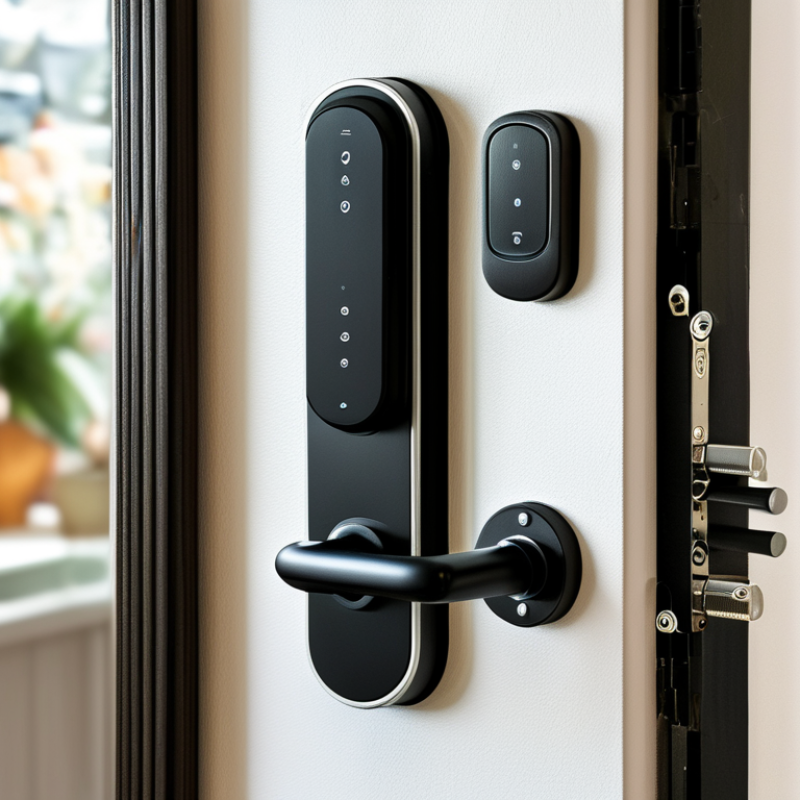
The Tuya Smart Lock offers a range of features that enhance home security. It boasts advanced encryption technology, ensuring that your access credentials remain safe. Users can manage access through mobile apps, which is quite convenient. The lock supports multiple entry methods, including keypads and biometric scans. This flexibility allows homeowners to choose what works best for them.
One notable specification is its remote access capability. You can lock or unlock your door from anywhere. This is especially useful for those who often forget to check if their door is secured. It also has a low battery alert system, which prevents unexpected lockouts. However, some users may find it challenging to set up the initial configurations.
Another feature to consider is the integration capability with other smart home devices. This allows for streamlined automation routines. However, compatibility can sometimes be an issue with certain devices. Understanding how these specifications interact is crucial. While the technology is impressive, it may require a learning curve for effective use. Being aware of these factors can help in maximizing the advantages of home automation.
Setting Up Your Tuya Smart Lock for Home Automation
Setting up a Tuya Smart Lock not only adds security but also enhances your home automation. To begin, ensure your Wi-Fi network is stable and within range. According to the Smart Home Market Outlook 2023, over 55% of individuals feel safer with smart locks, highlighting their importance.
After securing your Wi-Fi, download the controlling app. This app serves as the core of your automation. Follow the prompts to pair your smart lock. The process usually takes less than five minutes. However, many users report experiences of connectivity issues, reflecting the need for clearer installation guidance.
Next, customize your lock settings. Enable features like remote access and automatic locking. Data from IoT Insights reveals that 70% of smart lock users prefer remote features for convenience. But remember, as you enable these functions, consider potential weaknesses in security. Regularly update the app and firmware, and be aware that technology evolves. Your smart lock’s effectiveness hinges on its updates.
Integrating Tuya Smart Lock with Existing Smart Home Systems
Integrating Tuya Smart Lock into an existing smart home system can enhance both security and convenience. Data shows that over 50% of smart home owners prioritize security features in their devices. A smart lock offers remote access and control, helping users gain peace of mind. Compatibility with various smart home ecosystems is crucial. Most systems utilize Wi-Fi or Zigbee, ensuring seamless integration.
When connecting to existing systems, consider the communication protocols. Ensure your hub supports the same protocol as your smart lock. Misalignment can lead to operational issues. The installation process may also vary. Some users report struggles with setup due to lack of clear instructions. This can lead to frustration and wasted time.
Tips: Regularly update your smart lock's firmware to maintain security standards. Always choose strong and unique passwords for your devices. It helps prevent unauthorized access. Monitoring reviews and firmware updates keeps your system functioning optimally. This is essential for maintaining reliability and user trust. Reflections on personal experiences can be beneficial. They highlight potential challenges and offer solutions based on real-life scenarios.
Smart Home Automation Data Overview
This chart illustrates the percentage of users incorporating different types of smart home devices, such as smart locks, lighting, and security cameras, enhancing their home automation systems.
Enhancing Security: Best Practices for Using Tuya Smart Lock
When it comes to enhancing security with smart locks, best practices are essential. One key aspect is the initial setup. Use a strong password that combines letters, numbers, and symbols. Avoid easily guessed combinations. This setup stage is critical; neglecting it can leave your home vulnerable.
Regularly update your smart lock's software. Updates often include security patches that protect against new threats. Check for updates every few weeks. Many users forget this simple step, which can lead to potential risks.
Create unique access codes for family members and guests. This allows for easy tracking of who enters your home. If someone misplaces their code, revoke access immediately.
Consider integrating your smart lock with other security measures, like cameras or alarms. This creates a layered approach, enhancing overall safety. However, too many devices can complicate your setup.
Balancing convenience with security is crucial. Reflect on your routine and adjust the automation settings as needed to ensure they align with your lifestyle. Frequent reassessment can help maintain optimum security levels.
Monitoring and Managing Access with Tuya Smart Lock App
The Tuya Smart Lock App allows homeowners to monitor and manage access seamlessly. This app provides a user-friendly interface suitable for everyone. You can remotely lock or unlock your door, which adds convenience and security. Check who enters and exits your home in real-time.
Tips for using the app effectively: Set up alerts for when someone accesses your home. This feature keeps you informed. Also, consider creating temporary access codes for guests. This way, you control who enters while retaining security.
Managing access is vital. Review access logs regularly to understand who visits your home. Being proactive helps identify unusual patterns. Ensure your app and device firmware are updated to the latest version. This improves security and performance.