Best Mini PC Under $500 in 2026
Finding a capable Mini PC under $500 in 2026 is less about chasing the biggest number on a spec sheet. It is about matching the processor, memory, storage, ports, and cooling to the work you actually do. A compact system can handle office tasks, browsing, video calls, media playback, and light creative work without taking over a desk. Small footprint. But size alone proves little.
This guide examines what buyers can reasonably expect at this price, including recent hardware, discounted configurations, upgrade options, everyday responsiveness, and noise under load. We compare published specifications with practical details such as dual-monitor support, USB-C capability, Wi-Fi, and accessible memory or storage slots. Prices and configurations can change quickly, so verify the exact model before buying. Check the fine print. Similar-looking listings may have different processors or memory setups.
There is no universal winner. A system that feels quick with spreadsheets may struggle with 4K editing, modern games, or sustained heavy workloads. Not every task. The right choice depends on your workload, upgrade plans, and whether you already own a monitor and keyboard. We also consider compromises instead of treating every specification as a benefit. Fan noise, limited ports, or soldered memory can matter more than a benchmark score. Some judgments remain imperfect because real workloads differ. Use this guide to compare trade-offs and focus your budget on improvements you will notice.
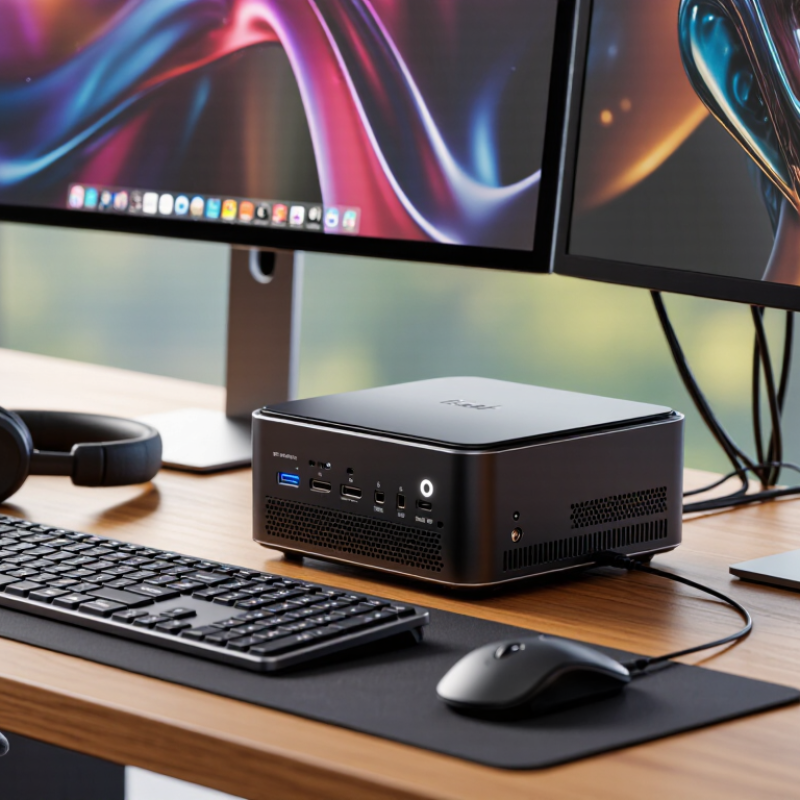
What Defines a Mini PC Under $500 in 2026
A mini PC under $500 in 2026 is not simply a small computer with a low sticker price. It should be a complete, usable system with a processor, memory, storage, wireless connectivity, and operating system suited to its intended tasks. Check the final checkout price, since memory or storage upgrades can push a tempting base model over budget. That line is fuzzy. Decide whether your $500 limit includes tax, a monitor, or accessories.
For everyday work, 16 GB of memory and a 512 GB solid-state drive provide a practical starting point. A recent processor with six or more cores can handle office tasks and many browser tabs, but core count alone does not predict speed. Not a guarantee. Cooling and power limits matter too. A compact case may look reassuring, yet long video calls or file exports can expose fan noise and heat. Check the port layout, display support, and exact wireless specifications before buying.
A fair comparison uses the configuration actually sold, not just a product-page headline. Listings may offer different memory and storage options under the same model name. I still find this category easy to misjudge: a low price can hide a weak processor or limited upgrade options. Look for clear warranty terms and a return window, and consider whether the machine stays responsive during the tasks you actually perform.
Core Hardware and Features to Compare
At under $500, judge the processor by the work you expect it to do, not its model number alone. For browsing, office tasks, and light photo editing, a recent midrange chip is often enough. For compiling code or handling many apps at once, sustained performance matters more than a brief benchmark spike. Cooling matters. A tiny case can get warm and loud under a long workload, so look for independent tests that measure performance after several minutes.
Check the memory configuration carefully. Sixteen gigabytes is a sensible starting point, and two memory modules can improve performance on systems with integrated graphics. Confirm whether the memory is replaceable; some compact PCs have it soldered in place. A 512-gigabyte solid-state drive gives room for apps and files, but an extra storage slot can make future upgrades easier. Small details count. Check the fine print.
Ports shape daily use. Count the USB ports you need for a keyboard, external drive, and other accessories. Confirm that the video outputs support your monitor’s resolution and refresh rate; USB-C does not always carry video. Gigabit Ethernet can help with large file transfers, while current Wi-Fi support is useful when a cable is impractical. I would not treat one benchmark score as a verdict. Test results vary, and compact systems can throttle during sustained workloads. A slightly slower processor with accessible memory, quieter cooling, and a dependable warranty may be the better fit.
How Budget Mini PCs Handle Common Tasks
For email, spreadsheets, video calls, and several browser tabs, a sub-$500 mini PC can feel surprisingly capable. The 2024 Web Almanac, based on HTTP Archive measurements, puts the median desktop web page at roughly 2.6 MB. Images and scripts add up quickly across open tabs. That matters. A model with 16 GB of memory is a more comfortable choice for everyday multitasking than one with 8 GB, especially when a call, spreadsheet, and browser are running together.
For video meetings, check that the system supports hardware video decoding and has a stable wireless connection. A tiny fan may become audible during long calls or large file transfers. Not always. For light photo edits, expect patience when exporting a batch of images; integrated graphics are built for efficiency, not heavy creative workloads. Before buying, look for independent testing that reports sustained performance and noise, rather than relying only on short benchmark bursts. Those figures can hide throttling after the case warms up.
The Web Almanac describes web content, not a mini PC’s speed, so its page-size data is context—not a performance guarantee. I would treat any “desktop replacement” claim cautiously. For ordinary tasks, prioritize memory, storage, ports for your monitor and accessories, and a return policy that lets you test the machine at your desk.
Typical Use Cases and Practical Limitations
Best Mini PC Under $500 in 2026
A mini PC under $500 can handle everyday office work, web browsing, video calls, and streaming from a small desk or shelf. For these tasks, quiet operation and reliable Wi-Fi may matter more than peak processor speed. A model with 16GB of memory and a solid-state drive usually feels responsive with several browser tabs open. Still, check the exact configuration; low prices can hide limited memory or storage.
These computers also suit digital signage, light home-server tasks, and basic photo editing. They are less comfortable for demanding games, long video exports, or workloads that keep the processor busy for hours. Small cases have less room to move heat, so fans may become audible under sustained load. Upgrade options vary, too. Some memory is fixed, and adding storage can require careful disassembly. I would not assume every compact system is easy to repair; that detail is often overlooked.
Tips: Check the ports you actually need, such as two monitor outputs or wired networking. Leave space around the case for airflow. Before buying, confirm the memory, storage, operating system, and warranty in the listing. A low price is useful, but a weak configuration can feel cramped surprisingly quickly.
Best Mini PC Under $500 in 2026: Typical Use Cases and Practical Limitations
Indicative suitability ratings for common tasks on a typical sub-$500 mini PC, scored from 1 (limited) to 5 (well suited). Actual performance depends on the processor, memory, cooling, and configuration.
These systems are generally a strong fit for everyday office work and media playback. Integrated graphics, compact cooling, and configuration limits can constrain demanding gaming, sustained video rendering, and other heavy workloads.
How to Choose the Right Model for Your Needs
Choosing a mini PC under $500 starts with the work you expect it to handle. For browsing, office documents, and video calls, a recent processor, 16GB of memory, and a 512GB solid-state drive make a sensible baseline. Check whether the memory and storage can be upgraded; some compact systems have parts soldered in place. Small case, real compromises.
For photo editing, light coding, or several connected displays, compare processor performance, graphics capability, and supported display outputs. Read independent tests when available, especially sustained-load results: a machine may feel quick for a minute, then slow as heat builds. Also check the included power adapter, wireless standards, port placement, and warranty terms. Prices and configurations can change, so confirm the exact specification before buying.
Tips: Make a short list of your daily apps, then match them to memory and storage needs. Leave room in your budget for a monitor or hub if needed. Check fan-noise reports and return terms. A low price can be tempting, but an awkward port layout or loud fan may matter more after a week on your desk.
