Icon about-block-ico-1 Icon about-block-ico-2 Icon about-block-ico-3 Icon about-block-ico-4 Icon announcement-close Icon arrow-left Icon arrow-right Icon arrow-sm Icon asterisk Icon banner-transparent-vector Icon btn-callback-ico Icon careers-item-location Icon careers-item-time Icon careers-item-type Icon careers-mail-ico Icon careers-phone-ico Icon careers-search-ico Icon careers-single-hero-vector Icon careers-single-more-vector Icon careers-vector Icon check Icon close Icon dfm-image-left-vector Icon dfm-image-right-vector Icon document Icon download-popup-vector Icon dropdown Icon envelope Icon facebook Icon faq-banner-bg Icon faq-title-ico-active Icon faq-title-ico Icon featured-links-block-bg Icon figure-1 Icon figure-10 Icon figure-11 Icon figure-12 Icon figure-13 Icon figure-14 Icon figure-15 Icon figure-2 Icon figure-3 Icon figure-4 Icon figure-5 Icon figure-6 Icon figure-7 Icon figure-8 Icon figure-9 Icon file-upload Icon form-sidebar-back Icon form-step-done Icon gmap-marker-group-icon Icon gmap-marker-icon Icon header-profile-ico Icon instagram Icon link Icon linkedin Icon loader Icon mail Icon phone Icon play-yt Icon play Icon post-nav-arr-left Icon quote-banner-vector Icon quote-block-aside-vector Icon quote-contact-phone-ico Icon quote-contact-position-ico Icon sidebar-location Icon sidebar-phone Icon technology-banner-nav-left-vector Icon technology-banner-nav-right-vector Icon twitter Icon webinar-item-date-vector Icon whitepaper-img-ico-left Icon whitepaper-img-ico-right Icon whitepapers-listing-banner-ico Icon whitepapers-single-aside-vector Icon youtube Icon yt-play-button

What Are the Top Fingerprint Smart Locks?

Choosing a Fingerprint smart lock is not just a matter of touching a sensor and hearing the bolt slide. A reliable model should recognize an enrolled finger quickly, resist repeated misreads, and offer practical backup entry. Grand View Research estimated the global smart-lock market at $2.63 billion in 2023 and projected 19.6% annual growth from 2024 to 2030. That broader market includes many lock types, so the figure signals growing interest, not proof that every fingerprint model performs well.

The details matter. A damp thumb, cold hands, or a worn fingerprint can affect recognition. Check how the lock handles failed scans, whether access records are available, and what happens when the batteries run low. Read the privacy policy, too. Small print matters.

NIST’s digital identity guidance, co-authored by specialist Paul A. Grassi, cautions: “Biometric characteristics are not secrets.” A fingerprint is convenient, but it cannot be changed like a PIN after exposure. NIST guidance is not a product certification; it offers useful context for evaluating biometric claims. No scanner is flawless. In the comparison ahead, we’ll weigh recognition, backup access, installation, and security features against everyday use. A lock that opens consistently and provides sensible alternatives may be more useful than one with the flashiest feature list. The best choice depends on your door, household, and tolerance for occasional troubleshooting.
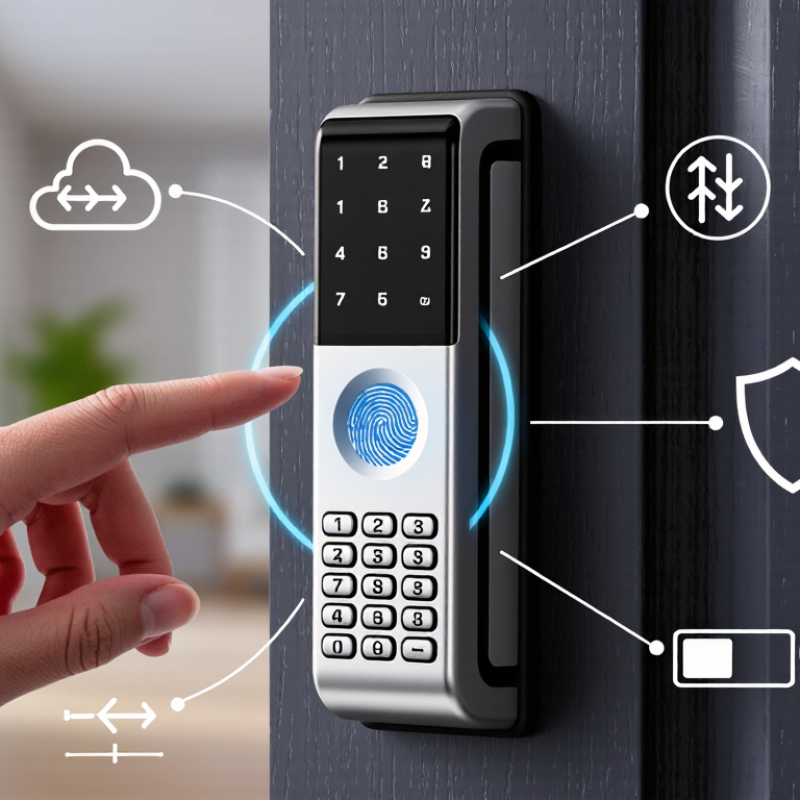
What Are the Top Fingerprint Smart Locks?

How Fingerprint Smart Locks Identify Authorized Users

A fingerprint smart lock checks whether a fresh scan matches an enrolled fingerprint template. During setup, the sensor captures ridge patterns, including endings and branching points. The lock converts these details into a template for comparison, rather than simply judging whether a finger looks familiar. Good enrollment matters: a dry fingertip, an angled press, or a partial scan can leave gaps.

When someone touches the reader, the lock captures another scan and compares its features with stored templates. A matching score must pass the lock’s threshold before it releases the bolt. A stricter threshold can reduce mistaken acceptance, but may reject an authorized user whose finger is wet, dirty, or slightly repositioned. That is the trade-off. NIST’s Digital Identity Guidelines, SP 800-63B, set biometric performance benchmarks including a false match rate of 1 in 1,000 or better and a false non-match rate below 5 percent. These are general benchmarks, not a guarantee for every lock.

For a practical check, test enrollment with the fingers you expect to use, then try several natural approaches at the reader. Ask whether the lock supports PIN or physical-key access if a scan fails. Fingerprint templates also deserve careful protection: storage and security features vary by device, so review the manufacturer’s technical documentation rather than assuming every lock handles data identically.

Real hands vary.

Key Features That Set Top Fingerprint Smart Locks Apart

The best fingerprint smart locks are distinguished less by flashy apps than by dependable daily recognition. A useful sensor reads quickly with dry, clean fingers and gives clear guidance when a print fails. Look for a sensor area that is easy to find by touch in a dim hallway. Response time matters: a lock that hesitates while you hold groceries soon feels unreliable. No sensor is perfect. Cold, damp, or worn fingertips can reduce recognition, so a keypad, physical key, or other backup entry method is important.

Security features deserve equal attention. Look for encrypted communication, user-specific access records, and simple controls for adding or removing fingerprints. Check whether records stay on the lock or are sent to an account, and review privacy settings before setup. A low-battery warning should arrive early, with clear replacement instructions or an emergency power option. Fit matters too: confirm door thickness and latch alignment before buying. A strong motor cannot fix a poorly aligned bolt. That detail is easy to miss. After installation, test the bolt by hand, then try each enrolled finger under ordinary conditions.

What Sets Top Fingerprint Smart Locks Apart?

A practical comparison of key features, rated by editorial importance on a 1–5 scale. These are qualitative ratings, not measured product statistics.

Fast, reliable fingerprint access and secure backup entry options are central considerations. Features and availability vary by model.

Security, Reliability, and Backup Access Methods

A fingerprint smart lock is only as dependable as its sensor, power supply, and fallback entry. Look for consistent recognition after hand washing or a cold walk home, plus clear alerts when batteries run low.

NIST’s Digital Identity Guidelines set a useful biometric benchmark: a system should achieve a false match rate of 1 in 1,000 or better, while keeping false non-matches below 5 percent. These are authentication guidelines, not a guarantee that a particular lock meets them. Ask manufacturers for independent test results. That detail matters.

Backup access deserves equal attention. A keypad can help when a finger is wet or scraped; a mechanical key can help when electronics fail. Some models also support emergency power from an external battery, but check where the contact points sit and whether you can reach them outside. Keep a spare key somewhere secure and accessible, not inside the locked home.

Reliability has dull moments: batteries age, fingerprints change, and an app may lose connection. Test every entry method after installation, then repeat the check when daylight-saving time reminds you to inspect the door. I’d still want a physical fallback, even if the fingerprint reader works perfectly today.

NIST SP 800-63B, Digital Identity Guidelines, provides the cited biometric performance thresholds.

Types of Fingerprint Smart Locks and Their Best Uses

Fingerprint smart locks come in several forms, and the right type depends on the door and daily routine. A fingerprint deadbolt replaces a standard deadbolt and suits a main entrance where several household members need access. Look for a clear enrollment process and a keypad or physical key for backup. Fingerprints can be harder to read when fingers are wet, cold, or worn, so alternatives matter.

A retrofit fingerprint lock fits over an existing interior thumb-turn, which can reduce installation work. It may suit renters or owners who want to keep the outside hardware unchanged, though door compatibility should be checked carefully. Lever-style fingerprint locks work well on interior doors, such as a home office or utility room, but they are not always a direct substitute for a deadbolt. Small fingerprint cabinet locks can protect a drawer or storage cupboard. They are convenient, not invincible.

Check how many fingerprints the lock stores, whether access logs are available, and how it behaves when batteries run low. A low-battery warning is useful. So is a backup method. For an exposed entry, confirm weather resistance and test the sensor with different users before relying on it. I would not assume every fingerprint reader works equally well for every hand. That detail is easy to overlook.

How to Choose a Fingerprint Smart Lock for Your Door

Choose a fingerprint smart lock that fits your door before comparing features. Measure the door’s thickness, deadbolt backset, and available space around the handle. Check whether the lock suits your door material and outdoor exposure. Fit matters. A poorly aligned bolt can drain batteries and make a secure lock frustrating to use.

Next, examine fingerprint performance, backup access, and power-loss behavior. NIST Special Publication 800-63B sets a biometric benchmark of a false match rate of 1 in 1,000 or better, with a false non-match rate below 5%. This is guidance for digital authentication, not certification of a particular door lock. Still, it offers useful context when reviewing test claims. Ask how the lock handles wet, dusty, or worn fingerprints; a quick scan at the showroom may not reflect a cold morning at your door. Test it. Look for a mechanical key or clearly explained emergency power method, plus local controls for adding and removing users. I would also check the privacy policy and whether access records stay on the device or leave your home. Small details matter, and product instructions can be oddly vague. A careful installation and a working backup may matter more than a long feature list.

Article Source:

MSIRobot