How to Set Up a VR Game Room at Home for Ultimate Fun?
Creating a Vr Game Room at home can transform your gaming experience. According to the Virtual Reality Developers Conference, VR gaming market revenue is projected to reach $12 billion by 2024. This reflects the soaring demand for immersive entertainment. A well-designed VR game room enhances both enjoyment and comfort.
To set up an effective VR game room, space and equipment are pivotal. You need adequate space to move around freely. Experts recommend a minimum of 6.5 feet by 8 feet. High-quality VR headsets and controllers will elevate your experience. As per a report by IDC, 38% of gamers prioritize equipment quality for performance.
Be mindful of lighting and sound in your VR game room. A clutter-free environment reduces distractions. While many focus on aesthetics, functionality should remain key. Make sure to have a plan for cables and seating. Consider potential adjustments for optimizing space. Building your ideal VR game room is a process, not a one-time task.
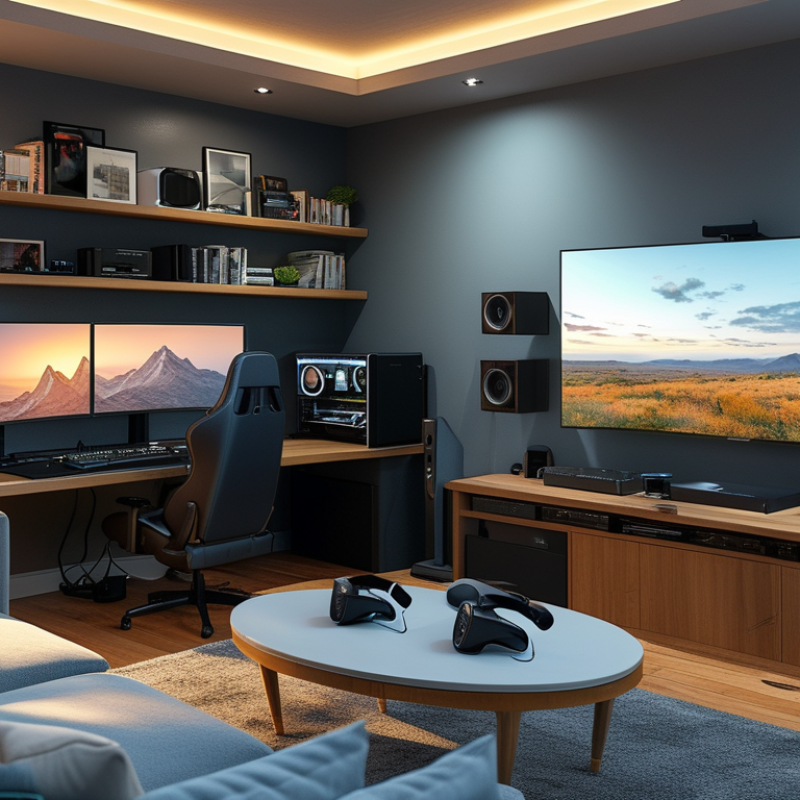
Choosing the Right Space for Your VR Game Room Setup
Creating a VR game room starts with selecting the right space. This area should be free of clutter, ensuring safety during gameplay. Look for a room with ample space, ideally at least 10 x 10 feet. This prevents collisions with furniture or walls. A carpeted floor can also provide some cushioning, should you trip or fall while immersed in the VR world.
Consider the lighting conditions in your chosen space. Ideally, the room should be well-lit, but avoid direct sunlight that causes glare on VR headsets. If natural light is too harsh, blackout curtains can help regulate brightness. Additionally, sound insulation is crucial; you don’t want disturbances to disrupt your gaming session.
Positioning is another aspect to ponder. Centralize your play area to maximize movement. Ensure that the VR sensors have an unobstructed view to enhance tracking accuracy. Sometimes, it may take a few adjustments to find the optimal setup. Experimenting with different layouts can lead to a surprisingly effective configuration.
VR Gaming Room Space Requirements
Essential Equipment and Tools Needed for VR Gaming
To create an immersive VR game room, start with essential tools. A powerful gaming PC is crucial. Reports indicate that a high-end graphics card can significantly enhance visual performance. Aim for at least 16GB RAM for adequate processing power. Many gamers report that their experiences improve with better specs.
Next, consider a comfortable VR headset that fits well. Industry data shows that user satisfaction rises with ergonomic designs. Look for headsets with adjustable straps and quality padding. An appropriate play space is vital. Ensure the area is safe and free of obstacles. A 6x6 feet space is often recommended for a full range of motion.
Don’t overlook accessories. Controllers and motion sensors add to the experience. Many players find extras like VR gloves increase immersion. A quality sound system or headphones can elevate your gaming. Sound plays a key role in creating an engaging experience. While setting up might seem daunting, testing and optimization can lead to significant improvements. Each mistake offers a chance to refine your space for maximum enjoyment.
Sound and Lighting Considerations for Immersive Experiences
Creating an immersive VR game room involves thoughtful sound and lighting choices. Industry research highlights that 70% of players feel more engaged with superior audio. Using surround sound systems enhances spatial awareness. This can dramatically elevate the gaming experience. Simple stereo setups often lack depth, making games feel flat and unengaging.
Lighting plays a crucial role too. Ideal room illumination is soft and adjustable. LED strips or smart lights can adapt to game scenarios. Reports indicate that 60% of gamers prefer rooms that can change lighting with gameplay. Overly bright spaces cause glare and distraction. Yet, too dim can lead to visual strain and disorientation. Balancing light levels creates a welcoming atmosphere without overwhelming the senses.
Choosing the right elements is sometimes tricky. Not every sound system fits every room. Room size and shape affect acoustics. Poorly placed speakers can create echoes or dead spots. The challenge lies in experimenting with setups. Maintain flexibility to adjust sound and light settings based on your comfort. Embrace the process, as it may lead to unexpected discoveries. The experience should be evolving, not static.
Organizing Your VR Game Room for Optimal Gameplay
Creating a VR game room requires careful organization. Start by choosing a dedicated space. This area should be roomy enough for movement. Clear out unnecessary furniture to avoid accidents. Soft flooring, like carpets or foam tiles, can help cushion falls. Good lighting is essential too. Avoid glare and shadows, as they can disrupt gameplay.
Next, think about the layout. Position your VR equipment centrally. This allows for easy access to headsets and controllers. Consider adding shelves or storage. Keep your area tidy and organized. You might misplace a controller during an intense session. The last thing you want is to interrupt gameplay looking for lost items.
Finally, decoration and ambiance matter. Consider soundproofing your space; this reduces noise distractions. You could use wall art that inspires your gaming adventures. Make it a space you enjoy spending time in. Remember, a messy room can lead to a messy mind. Take time to reflect on your setup. Is it maximizing your fun and focus? Adjust accordingly to enhance your VR experience.
Safety Tips and Best Practices for a VR Environment
When creating a VR game room, safety is paramount. According to a report by the Consumer Technology Association, nearly 50% of VR users reported experiencing motion sickness or discomfort during sessions. Ensuring your space is clear of obstacles is crucial. Remove furniture and decorations that could cause tripping hazards. A clutter-free environment allows for better immersion and reduces the risk of injury.
Proper equipment setup is another important factor. The National Institute of Health indicates that over 30% of VR-related injuries occur due to improper headset fit or usage. Make sure your VR headset is securely adjusted to fit your head. Regularly check that cables are organized and out of the way. Overheating devices can pose risks, so ensure there's good ventilation in the room.
Finally, consider the duration of gameplay. The American Psychological Association suggests taking breaks every 30 minutes to reduce fatigue and eye strain. Encourage players to stay hydrated and take time to rest. A safe VR experience is enjoyable, and awareness can lead to ultimate fun in your game room.
