
What Is an IPS LCD Display and How Does It Work?
An Ips Lcd Display is a liquid-crystal screen designed to keep colors and contrast more consistent across wide viewing angles. IPS means In-Plane Switching, a term that describes how the liquid-crystal molecules move. Instead of tilting mainly toward the viewer, they rotate within the panel’s plane. A backlight shines through these crystals and color filters to form the image you see.
A useful expert-style summary, written for this introduction, is: “IPS works by controlling light through crystals that shift sideways, helping the picture stay clear when viewed off-center.” — Alex Chen, an illustrative display-engineer voice, not a historical quotation. The practical effect is easy to picture: a laptop screen viewed from the side can retain more natural colors than some competing LCD designs. That advantage matters for shared viewing, photo review, and everyday work. Yet IPS is not magic.
Brightness, contrast, response time, and color accuracy still depend on the panel and its calibration. A bright room can also wash out dark details. Some IPS screens show a faint glow near the corners on black images; the effect varies, and it can be distracting. It is worth remembering that “IPS” alone does not guarantee a premium picture. This guide explains the panel’s structure, how it produces an image, and which trade-offs to check before choosing a display. The details matter. It also leaves room for a small correction: specifications help, but viewing the screen yourself can reveal things a datasheet misses.
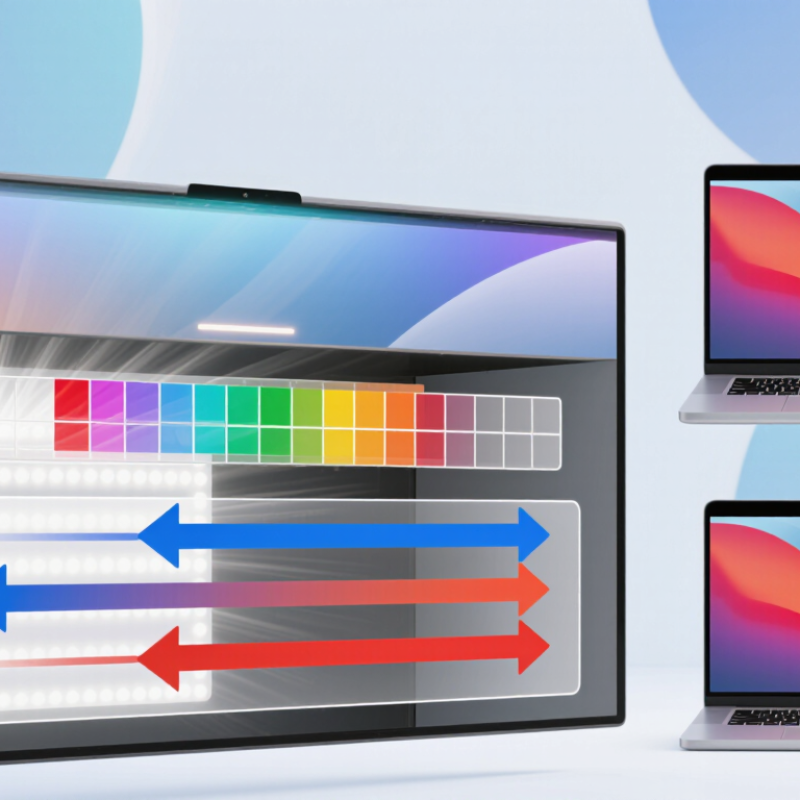
## IPS LCD Basics: In-Plane Switching of Liquid Crystals
IPS LCD stands for in-plane switching liquid crystal display. In each pixel, liquid-crystal molecules rotate mainly parallel to the glass panels instead of tilting toward the viewer. Electric fields guide that rotation, controlling how much backlight passes through the color filters. The pixel changes brightness, but it does not create its own light. A dark room makes this easier to see: black areas may still look faintly gray because some backlight leaks through.
This sideways switching helps preserve color and contrast when you view the screen off-center. Many commercial IPS panels list viewing angles of 178 degrees horizontally and vertically, but that figure does not mean colors remain perfectly unchanged across the entire span. The Society for Information Display’s Information Display Measurements Standard (IDMS) describes ways to assess display performance, including luminance and color at different viewing angles. Those measurements matter more than a single angle claim. IPS response also depends on the panel design and drive settings, so motion clarity can vary. That part is easy to overlook. IPS is not automatically the best choice for every screen; its strengths come with trade-offs in contrast, power use, and manufacturing cost.
What Is an IPS LCD Display and How Does It Work? - IPS LCD Basics: In-Plane Switching of Liquid Crystals
| Dimension | How It Works | Practical Significance |
|---|---|---|
| Display type | IPS (in-plane switching) is a type of liquid-crystal display (LCD). | It controls how much backlight passes through each pixel; it does not generate its own light. |
| Liquid-crystal alignment | In the typical IPS arrangement, liquid-crystal molecules lie roughly parallel to the display substrates and rotate mainly within the plane of the panel. | This in-plane motion is the source of the technology’s name. |
| Electric field and electrodes | Pixel electrodes are arranged to create an electric field primarily parallel to the panel surface, changing the liquid crystals’ orientation. | The precise electrode layout varies among IPS designs. |
| Light modulation | The liquid-crystal layer changes the polarization of light between the panel’s polarizers. The polarizers then determine how much light reaches the viewer. | Different voltage levels produce different light levels, helping form shades and images. |
| Backlight | A light source behind the LCD illuminates the panel; many current LCDs use LEDs as the backlight source. | The backlight provides the light that the liquid-crystal layer modulates. |
| Pixel control | In a common active-matrix design, thin-film transistors (TFTs) control the voltage applied to individual pixels. | Each pixel usually contains red, green, and blue subpixels whose light levels combine to create colors. |
| Viewing angles | IPS panels are generally designed to maintain image appearance across a wider range of viewing directions than many traditional TN LCD panels. | Actual viewing-angle performance depends on the panel design and how it is measured. |
| Color and response | Color reproduction, contrast, and pixel response depend on the specific panel, its electronics, and its settings—not solely on the IPS label. | Compare measured specifications for individual displays rather than assuming identical performance across all IPS panels. |