Icon about-block-ico-1 Icon about-block-ico-2 Icon about-block-ico-3 Icon about-block-ico-4 Icon announcement-close Icon arrow-left Icon arrow-right Icon arrow-sm Icon asterisk Icon banner-transparent-vector Icon btn-callback-ico Icon careers-item-location Icon careers-item-time Icon careers-item-type Icon careers-mail-ico Icon careers-phone-ico Icon careers-search-ico Icon careers-single-hero-vector Icon careers-single-more-vector Icon careers-vector Icon check Icon close Icon dfm-image-left-vector Icon dfm-image-right-vector Icon document Icon download-popup-vector Icon dropdown Icon envelope Icon facebook Icon faq-banner-bg Icon faq-title-ico-active Icon faq-title-ico Icon featured-links-block-bg Icon figure-1 Icon figure-10 Icon figure-11 Icon figure-12 Icon figure-13 Icon figure-14 Icon figure-15 Icon figure-2 Icon figure-3 Icon figure-4 Icon figure-5 Icon figure-6 Icon figure-7 Icon figure-8 Icon figure-9 Icon file-upload Icon form-sidebar-back Icon form-step-done Icon gmap-marker-group-icon Icon gmap-marker-icon Icon header-profile-ico Icon instagram Icon link Icon linkedin Icon loader Icon mail Icon phone Icon play-yt Icon play Icon post-nav-arr-left Icon quote-banner-vector Icon quote-block-aside-vector Icon quote-contact-phone-ico Icon quote-contact-position-ico Icon sidebar-location Icon sidebar-phone Icon technology-banner-nav-left-vector Icon technology-banner-nav-right-vector Icon twitter Icon webinar-item-date-vector Icon whitepaper-img-ico-left Icon whitepaper-img-ico-right Icon whitepapers-listing-banner-ico Icon whitepapers-single-aside-vector Icon youtube Icon yt-play-button

10 Digital Watch Buying Tips for Global Buyers

A Digital Watch can look simple on a product page: a clear display, a few buttons, and a neat price. The buying decision is less simple. Global buyers must weigh battery life, time-zone settings, display readability, durability, warranty support, and the needs of the people who will wear each model. Small details matter. A dim screen may be hard to read outdoors; a proprietary strap can complicate replacement.

The market is changing, but the numbers need careful reading. IDC reported that worldwide wearable-device shipments reached 538.9 million units in 2024, up 6.1% year over year. That figure includes many wearable types, not just digital watches. Grand View Research estimated the global smartwatch market at USD 33.58 billion in 2023 and projected growth through 2030. Smartwatch data offers useful context, but it does not represent every basic digital-watch segment. Numbers can mislead.

Apple CEO Tim Cook described Apple Watch as “the most personal device we’ve ever created” at its 2015 launch. That perspective highlights an important buying question: will the watch fit its user’s daily routine? For a distributor, that may mean checking language options, packaging, battery specifications, and after-sales support before placing a large order. For an individual, comfort and easy-to-read digits may matter more than extra features.

The following 10 Digital Watch buying tips turn those questions into practical checks. They focus on specifications buyers can verify, from display and battery claims to fit and supplier consistency. Not every point will suit every buyer. That is worth remembering.
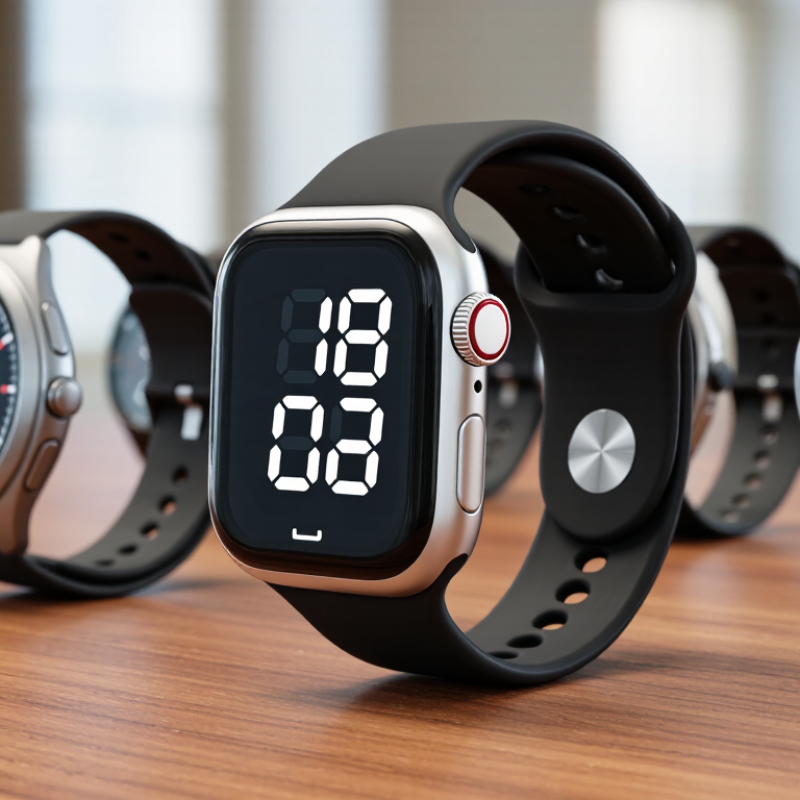
10 Digital Watch Buying Tips for Global Buyers

Define Your Intended Use and Essential Digital Watch Requirements

Define your primary use before comparing features. A watch for warehouse shifts, outdoor walks, travel, or daily wear will have different requirements. A large display helps when checking the time quickly, while a light case may feel more comfortable through a long workday. If you cross time zones, check how easily the watch changes local time. Features you rarely use can add clutter instead of value. It is easy to ask for too much.

Tip: Write down three daily tasks. Match each one to a useful feature, such as a clear alarm, stopwatch, or backlight. Keep it simple.

Next, consider practical limits. Check the display in bright daylight and in a dim room. Look at the button layout: small controls can be awkward with gloves or wet hands. Compare battery type and expected life, since charging access varies during travel.

Review water-resistance details against your actual activities; resistance ratings do not mean every watch suits every kind of water exposure. A comfortable strap matters, too. Materials and fit can feel different in heat, and that detail is easy to overlook. Before buying, ask whether you would still wear the watch on an ordinary, unplanned day.

Compare Display Types, Timekeeping Functions, and Battery Options

Display type affects readability and battery life. A reflective LCD is easy to read in bright daylight and usually uses little power, but it may need a backlight in a dim cabin or hallway. An illuminated display is clearer at night. Check whether its light stays on or only activates when you press a button. Small details matter. Before buying, compare digit size and contrast in photos, not just the case dimensions.

Tips: Test the display under a desk lamp and outdoors. Check whether the watch shows a second time zone, supports daylight-saving adjustments, and offers a clear alarm or stopwatch. Extra functions help only when their controls are easy to use.

Timekeeping needs vary by travel routine. Quartz models are simple, while radio-controlled watches can update the time where a compatible signal is available. That coverage is not universal, so verify support for your destination. Frequent flyers may prefer quick manual time-zone changes. Battery options also deserve a close look: a replaceable cell can last for years, while rechargeable models need regular charging. Solar charging reduces battery changes, but indoor light may not keep every model fully charged. I still think battery life claims can be hard to compare; check the stated conditions and consider how often you use the backlight and alarms.

Assess Comfort, Durability, Water Resistance, and Build Quality

A digital watch should feel secure, not like a weight pulling at your wrist. Try it for several hours if possible. Check whether the strap edge rubs, the case catches on a sleeve, or the clasp presses when you bend your hand. A useful fit leaves little room for side-to-side movement without pinching. Comfort is personal, and a watch that feels fine in a shop may become irritating during a warm commute.

Water-resistance figures need careful reading. ISO 22810:2010 sets standardized test methods for water-resistant watches, while ISO 6425:2018 requires at least 100 meters of water resistance for watches classified as diver’s watches. A “30 m” marking is not a promise that the watch is suitable for swimming at that depth. Treat it as a tested rating, and follow the maker’s instructions about swimming and button use. Check that buttons feel firm and seals show no visible damage. Small details matter.

For durability, inspect the case joins, strap attachment points, and screen cover under bright light. Look for uneven gaps, loose buttons, or a strap that twists easily. Materials alone do not prove build quality; assembly and sealing matter too. A mineral-glass screen may suit everyday use, while frequent knocks call for checking the stated scratch and impact resistance. I would not judge a watch by appearance alone. My own weak spot is overlooking the clasp, even though it takes daily strain.

Check Device Compatibility, Warranty Coverage, and Local Support

Before ordering a digital watch, confirm that its operating system supports your phone’s current software version. Check whether essential functions, such as notifications, health-data syncing, and contactless payments, work in your region. A feature listed online may depend on a compatible phone, local service, or payment provider. Ask the seller for the supported-device list, not just the watch’s general specifications. Test the pairing process in-store if possible. Small details matter.

Warranty terms deserve the same scrutiny. Check the coverage period, battery exclusions, repair locations, and who pays shipping across borders. The UN’s Global E-waste Monitor 2024 reported 62 million tonnes of e-waste generated worldwide in 2022, with only 22.3% documented as formally collected and recycled. That figure does not measure watch failures, but it underlines why repair access and replacement parts matter. Confirm that local support can handle repairs, software updates, and warranty claims without sending the watch overseas. Get the answer in writing. Support pages can be vague, and I’d still verify the nearest service option before paying; that extra check is easy to overlook.

10 Digital Watch Buying Tips for Global Buyers - Check Device Compatibility, Warranty Coverage, and Local Support

Buying dimension What to verify Practical check Why it matters
1. Phone and app compatibility Supported phone operating systems, minimum software versions, and required companion app. Check the product requirements and app availability for your phone’s region before ordering. Some connected-watch features depend on a compatible phone and app; compatibility can vary by model and software version.
2. Cellular and network support Whether the watch has cellular service, which network bands it uses, and whether your carrier supports its eSIM or SIM. Confirm the exact model number and ask your mobile carrier to verify network and plan support. Cellular bands, carrier approval, and eSIM availability differ by market. A watch with cellular hardware may not work with every carrier.
3. GPS and location features Whether GPS is built in or depends on a connected phone, and which navigation features work in your destination. Read the feature specifications and test location functions in the intended country where possible. Standalone location tracking can be useful without a phone, while phone-assisted tracking may rely on the phone being nearby.
4. Warranty coverage Warranty duration, covered parts, exclusions, proof-of-purchase rules, and whether service is available internationally. Read the written warranty terms for the seller’s country and your country of residence; retain the invoice. Warranty terms and consumer protections vary by jurisdiction. International coverage should not be assumed.
5. Local repair and support Availability of authorized service, repair locations, spare parts, and customer support in your language or time zone. Locate a service option near you and ask how repairs, shipping, and support requests are handled. Local service can reduce repair delays and shipping costs, especially when a product needs specialized parts.
6. Charging and power Charging method, included cable or adapter, replacement-charger availability, and input-voltage information. Check the charger label and product manual. For USB-powered models, confirm that a compatible USB power source is available. Charging accessories and plug types vary by country. Do not assume a wall adapter is included or suitable for every local outlet.
7. Battery life and replacement Published battery-life conditions, features that affect runtime, and whether the battery can be replaced or serviced. Compare estimates using similar settings, such as GPS use, screen activity, notifications, and cellular connectivity. Actual runtime depends on usage and settings. Battery service options can affect the watch’s useful life.
8. Water-resistance rating The stated water-resistance rating and the manufacturer’s instructions for swimming, showering, and other water exposure. Read the manual for the exact model. Do not treat a water-resistance label as a general guarantee for every water activity. Water resistance is not the same as permanent waterproofing; seals can wear, and use limits depend on the product and its condition.
9. Time, language, and regional settings Supported languages, 12/24-hour display, date format, time zones, and daylight-saving-time settings. Check the settings list and confirm whether time can be set manually or synchronizes with a phone. Regional preferences differ, and automatic time updates may depend on phone pairing, location services, or network access.
10. Payments, radio approvals, and import costs Availability of contactless-payment features, local payment-service support, applicable radio requirements, taxes, and import fees. Check local service availability and import rules, and ask the seller who is responsible for duties and taxes. Payment services and wireless-device requirements are market-specific. The final landed cost may include charges beyond the listed price.

Review Pricing, Import Costs, and Seller Reliability Before Buying

A digital watch’s listed price is only the starting point. Compare the full checkout cost, including shipping, insurance, currency conversion, and any import charges collected on delivery. These fees vary by destination and shipment terms, so check your country’s official customs guidance before paying. The World Bank’s 2023 Logistics Performance Index, based on shipment-tracking data, reported an average of 44 days for goods to move through the international supply chain. Delivery estimates deserve scrutiny.

Tips: Ask for a written quote showing the watch price, shipping method, and possible extra fees. Check whether the stated warranty covers international buyers, and save the answer. A low price can become less attractive when return shipping falls on you.

Seller reliability matters as much as cost. Look for recent, detailed reviews that mention delivery, packaging, and after-sales support. Request clear photos of the actual watch, its packaging, and the included accessories. Confirm the model’s stated features, such as water resistance and battery type, against its documentation. UNCTAD’s Review of Maritime Transport 2024 described sharp volatility in container freight rates during 2024, a reminder that shipping quotes can change. I would not treat a seller’s vague “tax included” claim as proof; ask which charges it covers. I still find comparison spreadsheets useful, though they cannot predict every delay.

MSIRobot