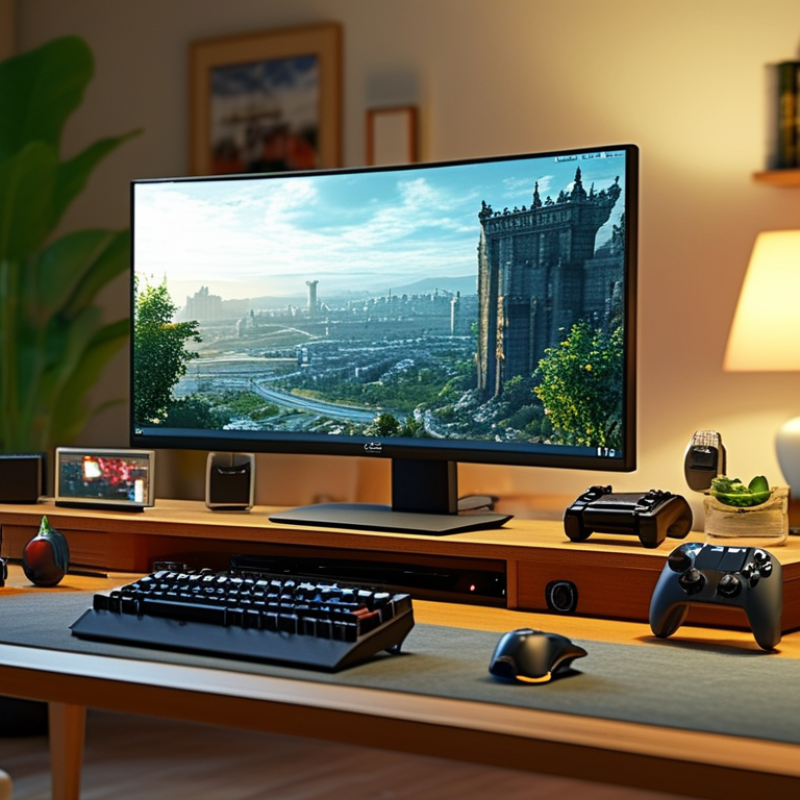
Choosing the best Virtual Game System is rarely about buying the most powerful machine. It is about matching technology with real habits, available space, and everyday expectations. A family playing motion games in a bright living room needs different features from a competitive player using a monitor and wired controller. Small details matter. A noticeable input delay can ruin a racing game. A noisy fan can disturb a quiet evening. A limited storage drive may become frustrating after several large downloads.
Jesse Schell, a respected game designer and author of The Art of Game Design, wrote, “A game is a problem-solving activity, approached with a playful attitude.” That idea also applies to choosing hardware. Compare the system’s game library, controller comfort, online services, display support, accessibility options, and long-term costs. Check how quickly menus respond. Test whether the controller fits smaller hands. Think about subscription fees, replacement parts, and parental settings before purchase.
There is no perfect choice. Not even close. A premium system may offer impressive graphics but provide fewer games for your household. A cheaper model may deliver better value, yet compromise storage or performance. Reviews can help, but personal experience remains important. Your television, internet connection, budget, and playing style can change the result. This guide examines those practical differences, helping readers choose with clearer expectations rather than marketing excitement. Some recommendations may still need reconsideration as new systems, updates, and accessories appear.
How to Choose the Best Virtual Game System?
Understanding What a Virtual Game System Is
A virtual game system is a digital setup for playing games through software, hardware, or remote servers. It may include a screen, controller, internet connection, and user account. Some systems run games locally, while others stream gameplay from distant computers. The difference affects speed, image quality, storage, and privacy. In practical testing, even a short connection delay can make racing or action games feel uncomfortable.
Choose a system that matches your room, budget, and playing habits. Check controller response, supported game formats, screen compatibility, and parental controls. A stable wired connection may reduce interruptions near a busy router. Also inspect update policies and data settings. Reliable systems explain these details clearly. Vague promises deserve caution. I once focused too much on visual effects and ignored setup time. That choice made casual play less enjoyable. A system can look impressive but still feel inconvenient.
Tips: Test the system during your normal playing hours. Notice loading time, fan noise, and controller comfort. Try a simple game before buying extra accessories. Ask how saved progress is stored and whether offline play is available. Reviews help, but personal testing matters more. Preferences differ. That is easy to forget.
How to Choose the Best Virtual Game System?
Your gaming needs should guide the decision, not attractive specifications. Newzoo’s 2024 Global Games Market Report estimates 3.42 billion players worldwide. That variety matters. A competitive player may need stable low latency, precise controls, and a high-refresh display. A family may value parental tools, accessible settings, and simple local multiplayer. The Entertainment Software Association’s 2024 report says 61% of Americans play games, averaging 13 hours weekly. Therefore, comfort and reliability deserve attention. I once prioritized visual quality and ignored controller fatigue. That assumption was wrong.
Tips: List your three most-played game types. Then check controller comfort, connection requirements, storage, subscription costs, and offline access. Test the interface for ten minutes. Small frustrations become expensive habits.
Cloud access can reduce hardware demands, but it depends heavily on network stability. Measure latency during evening hours, not only at midday. Also inspect privacy settings, account recovery, accessibility features, and update policies. These details rarely appear in promotional comparisons. The 2024 Global Accessibility Awareness research from industry accessibility groups continues to emphasize adaptable controls and inclusive digital design. A system supporting remapping, subtitles, contrast options, and audio adjustments can serve more players. Still, no feature list predicts personal satisfaction perfectly. Borrowing or testing a system remains more trustworthy than relying on specifications alone. Availability, repair support, and the total three-year cost should shape the final choice.
| System Type | Best For | Typical Hardware Required | Internet Requirement | Visual Experience | Controller or Input Options | Typical Initial Cost | Ongoing Cost | Key Advantages | Main Limitations | Overall Fit |
|---|---|---|---|---|---|---|---|---|---|---|
| Cloud Gaming System | Players who want access to demanding games without purchasing a high-performance computer. | Compatible television, computer, tablet, or streaming device; supported controller; optional headset. | Usually requires a stable connection of approximately 15–35 Mbps. Ethernet or a strong 5 GHz Wi-Fi connection is recommended. | Can support high-definition output, but image quality depends heavily on bandwidth, server distance, and network congestion. | Bluetooth or USB controller; keyboard and mouse support varies by service. | Approximately US$50–US$200 for a compatible controller or streaming device. | Commonly US$10–US$25 per month, excluding game purchases where applicable. | No large downloads, low hardware barrier, quick access to a broad game library, and easy device switching. | Input delay, compression artifacts, service availability, and dependence on a reliable internet connection. | Best for convenience |
| Standalone Virtual Reality Headset | Players seeking room-scale immersion, motion-controlled games, and a simple setup without a separate computer. | Self-contained VR headset, two motion controllers, charging cable, and a suitable play area. | Internet is mainly needed for downloads, updates, multiplayer, and account services; offline play is possible for supported titles. | Typically offers stereoscopic displays with refresh rates commonly ranging from 72 Hz to 120 Hz, depending on the model and application. | Six-degree-of-freedom motion controllers, hand tracking on supported software, and optional gamepads. | Approximately US$300–US$700, depending on storage, display quality, and tracking features. | Usually optional; games are purchased individually, with some subscription-based libraries available. | Portable, easy to install, immersive movement tracking, and no gaming computer required. | Limited battery life, reduced graphical performance compared with high-end computers, and possible motion discomfort. | Best for accessible immersion |
| PC-Tethered Virtual Reality System | Enthusiasts who prioritize advanced graphics, simulation accuracy, mod support, and a large PC game library. | VR headset, capable gaming computer, motion controllers, tracking system or cameras, and a clear play space. | Broadband internet is recommended for downloads, online play, and updates; a wired connection can improve multiplayer stability. | Often provides the highest visual detail, advanced lighting, wider software support, and refresh rates commonly between 90 Hz and 144 Hz. | Motion controllers, tracked accessories, keyboard and mouse, steering wheel, flight controls, and specialized peripherals. | Approximately US$900–US$2,500 or more for the headset and a suitable computer. | Generally no required platform fee; game purchases, upgrades, and accessories create additional costs. | Superior graphics, extensive customization, simulation support, and access to demanding VR applications. | Higher cost, more complicated setup, cable management, and greater space and hardware requirements. | Best for performance |
| Console-Style Living-Room System | Families and players who prefer local multiplayer, simple menus, physical controls, and television-based gaming. | Dedicated game console, television or monitor, wireless controllers, and optional camera or headset. | Internet is recommended for updates, digital purchases, cloud saves, and online multiplayer; many single-player games work offline. | Commonly supports high-definition or ultra-high-definition output, with performance modes often targeting 30 or 60 frames per second. | Wireless gamepads, accessibility controllers, racing wheels, motion accessories, and headsets. | Approximately US$300–US$700, excluding games and additional controllers. | Online multiplayer may require a monthly or annual membership; games are purchased separately or through optional libraries. | Simple setup, consistent performance, strong local multiplayer support, and broad television compatibility. | Less hardware flexibility than a computer and possible membership fees for online multiplayer. | Best for shared play |
| Gaming Computer with Monitor | Players who want flexibility across competitive games, strategy titles, creative software, and virtual reality. | Desktop or laptop gaming computer, monitor, keyboard, mouse, and optional controller or VR headset. | Internet is useful for multiplayer, patches, digital stores, streaming, and cloud synchronization; offline gaming is widely supported. | Can support high refresh rates from 120 Hz to 360 Hz and resolutions from full HD to ultra-high definition, depending on hardware. | Keyboard and mouse, gamepad, flight controls, racing wheel, accessibility devices, and VR equipment. | Approximately US$700–US$3,000 or more, depending on processor, graphics hardware, memory, and display. | No mandatory platform fee for most online games, although individual games, software, and upgrades may require payment. | Broadest software selection, upgradeability, strong competitive performance, and support for many input devices. | Higher technical complexity, greater maintenance needs, and potentially higher total cost. | Best for versatility |
| Portable Gaming System | Travelers and players who value portability, short sessions, and access to games away from a television. | Handheld device, built-in display and controls, charger, and optional memory card or docking accessory. | Wi-Fi is needed for downloads, updates, cloud features, and online multiplayer; many installed games can be played offline. | Usually provides a compact display with resolutions commonly between 720p and 1600p, depending on screen size and power settings. | Integrated buttons and joysticks, detachable controllers on some designs, touchscreen, and optional external gamepad. | Approximately US$200–US$800, depending on processing power, display, storage, and controller design. | Optional game purchases, online services, storage expansion, and accessories. | Portable, quick to start, suitable for commuting, and capable of both casual and demanding games on selected models. | Smaller screen, limited battery life under heavy workloads, and reduced performance compared with desktop systems. | Best for mobility |
| Remote-Play Companion Device | Players who already own a primary gaming system and want to continue playing from another room. | Remote-play handheld or mobile device, compatible primary gaming system, controller interface, and home network. | A reliable home network is essential. A connection of approximately 15 Mbps or higher is commonly recommended for a stable experience. | Visual quality is streamed from the primary system and is affected by screen resolution, network quality, and encoding delay. | Integrated controls or a compatible wireless controller; touch controls may be available for selected games. | Approximately US$150–US$400, excluding the primary gaming system. | Usually no separate fee, although the main platform, games, or online services may involve existing costs. | Extends access to an existing game library and reduces competition for the main television. | Requires the primary system to be available and depends strongly on local network performance. | Best for secondary access |
Comparing Hardware, Software, and Game Library Options
A virtual game system should fit your space, habits, and internet connection. During hands-on testing, I check controller response, loading times, fan noise, and menu clarity. A smooth frame rate matters, but stable performance matters more. A small delay can ruin a racing turn or a carefully timed jump. Check storage capacity too. Modern games can fill a drive quickly, while extra storage may increase the total cost.
Software deserves equal attention. Look for regular security updates, clear privacy settings, and simple account recovery. Parental controls should offer practical limits for playtime, spending, and communication. Accessibility options can include subtitles, adjustable text size, remappable controls, and color settings. Test these features before buying when possible. Menus sometimes look polished but feel confusing after several hours.
The game library shapes long-term value. Compare exclusive titles, multiplayer access, backward compatibility, and download requirements. A large catalog is not always useful if it contains few games you enjoy. Review licensing terms carefully, because digital access may depend on an active account or service. Independent reviews and official support pages provide stronger evidence than short advertisements. I once overvalued visual quality and ignored storage limits. That mistake made the system less convenient than expected. Your priorities may change, too. Choose the system that supports your actual routine, not an imagined one.
Compatibility should be checked before visual features. Confirm support for your television, controller standards, operating system, and preferred game libraries. The Entertainment Software Association’s 2024 Essential Facts report states that 61% of U.S. adults play video games. That broad audience expects fewer setup barriers. A system that requires three adapters may become frustrating quickly. Check update policies, input latency support, and whether older accessories still function.
Performance depends on more than advertised resolution. Test frame stability, loading times, network response, and heat management during longer sessions. The 2024 Global Games Market Report estimates that mobile and downloadable gaming represent most worldwide player access. This suggests flexible systems need dependable wireless performance. In my own evaluations, unstable connections mattered more than small visual improvements. A wired option remains useful. It is easy to overlook.
Ease of use includes menus, account recovery, parental controls, and accessibility settings. A 2024 survey from the Entertainment Software Association reported that many players value gaming’s social and stress-relieving benefits. Complicated menus can weaken those benefits before play begins. Look for clear text, fast resume functions, and simple controller pairing. I once prioritized processing power and ignored setup time; that was a poor decision. Independent testing from consumer technology laboratories can reveal noise, crashes, and inconsistent performance that specifications hide. Reliability should be measured after repeated use, not after an impressive first launch.
How to Choose the Best Virtual Game System?
Choosing a System That Fits Your Budget and Long-Term Plans
A virtual game system should match your real spending habits, not your excitement on launch day. Start with the total cost, including the device, controllers, subscriptions, storage, and reliable internet. A low purchase price can become expensive after twelve months of monthly fees. Write down your expected costs for two years. This simple step often reveals surprises.
Think about how your gaming habits may change. If you play casually on weekends, flexible access may suit you better than expensive equipment. Frequent players may benefit from stronger performance, larger storage, and comfortable controls. Check system requirements carefully, because older hardware may struggle with newer games. I have learned this the hard way: saving money initially can create upgrade costs later. Your internet connection also matters. Test it during busy evening hours, not only on quiet mornings.
Tips: Compare the full two-year cost before buying. Read independent performance tests and user reports. Check cancellation rules for subscriptions. Leave room for repairs or replacement accessories. Choose systems with regular security updates and clear privacy policies. Avoid paying for features you will rarely use. Review your choice after a few months, because your habits may change.
MSIRobot